Parked all day.
So why is the battery draining?
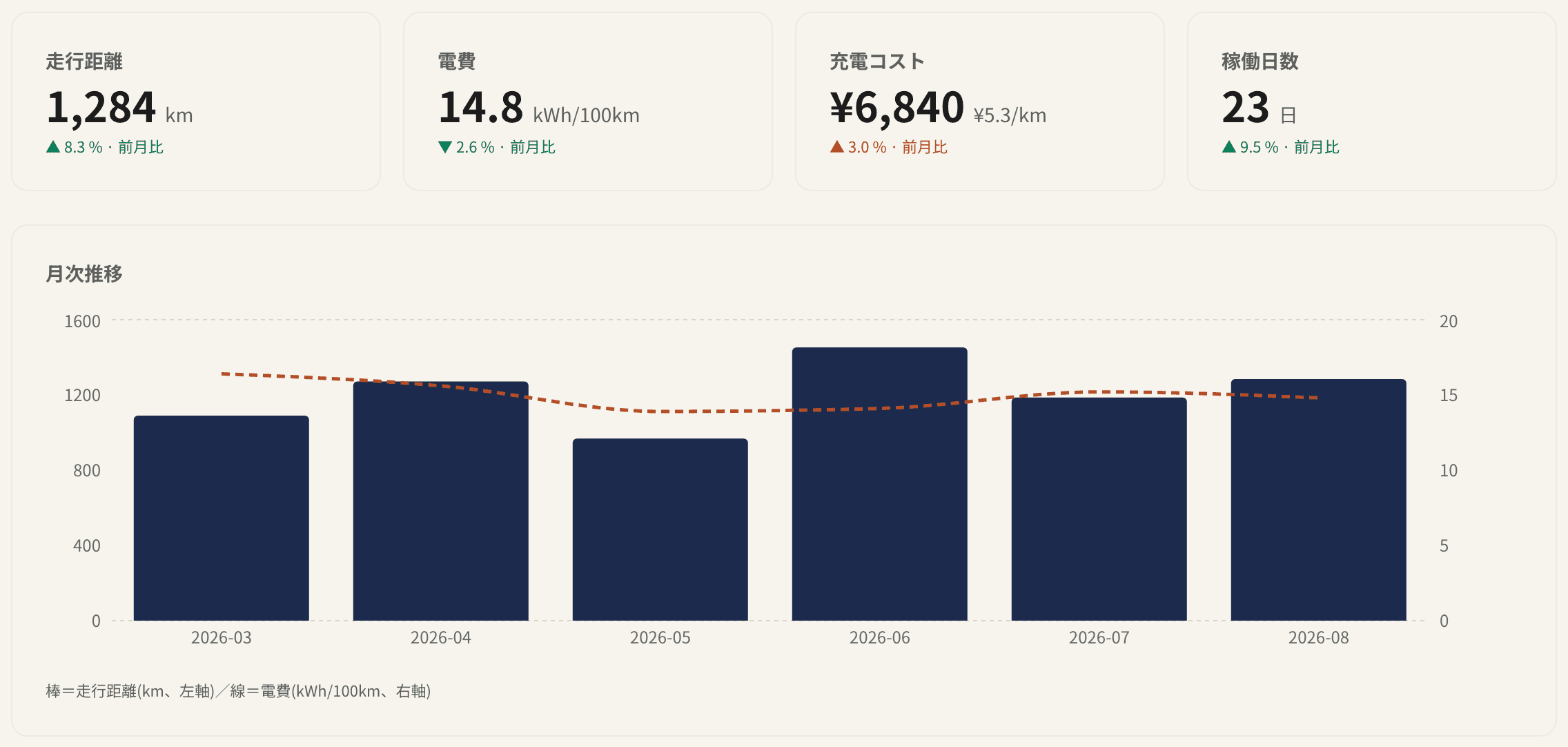
Review drive distance, charging energy, efficiency and charging costs from entered actual amounts or configured-rate estimates. Records are based on signals received through Tesla Fleet Telemetry. What arrives, and when, depends on the vehicle, software, setup, and network; not every field updates while parked.
- 60 s
- default signal interval setting
- On change
- vehicle-side send condition
US$6.49/month or US$64.90/year per vehicle · first 14 days free (card required; automatic billing after trial)
Tesla account authentication uses Tesla OAuth; this service does not receive or store your Tesla password. Email-registration passwords are hashed with bcrypt. Operated by an individual developer. This is not an official service of Tesla, Inc. or the open-source TeslaMate project and is not affiliated with or endorsed by either.
Why choose us
See how we stack up against the alternatives
Other Tesla data services
Tessie, TeslaFi, and similar
- Subscription prices vary by provider and plan
- Compare supported languages and regional terms before subscribing
- Data collection methods and vehicle support vary by provider
DIY self-hosting
Raspberry Pi / VPS
- Requires hands-on Linux, Docker, and PostgreSQL expertise
- You manage OS updates, SSL certificates, and backups yourself
- Tesla developer account registration and tedious token management
TeslaMate JP Pro
This service
- US$6.49/month or US$64.90/year per vehicle; a card is required to start the 14-day trial
- Application-level tenant separation in a shared PostgreSQL database; admin APIs use RBAC and audit logs
- Fleet Telemetry receives vehicle signals; fields and timing vary by vehicle conditions
Get started in 3 steps
Review permissions, prepare your vehicle, then check for the first received data.
Authorize your Tesla account
Review the requested OAuth scopes before authorizing. Your Tesla password is not sent to or stored by this service.
Prepare your vehicle
Depending on the vehicle, add a virtual key or enable the in-vehicle data-streaming setting. Supported hardware and software vary.
Check for the first data
Records appear after vehicle signals arrive. Received fields and timing depend on the vehicle, setup, software, and network.
Frequently asked questions
How much does it cost?
US$6.49/month or US$64.90/year per vehicle, billed in USD. A card is required to start the 14-day trial, and the selected billing interval is charged automatically when the trial ends. Check the amount and next billing date on the checkout screen before confirming.
Can anyone else see my data?
Vehicle data is stored in a shared PostgreSQL database and separated by tenant_id checks in application queries. This is not a dedicated database or PostgreSQL row-level security (RLS). Administrator APIs use role-based access control (RBAC) and audit logs.
How is this different from self-hosted TeslaMate?
It is an independently developed cloud service born from the same mission as the open-source TeslaMate — automatically recording and visualizing vehicle data (it is not a copy of TeslaMate itself). You do not need to host a server or manage SSL certificates. Tesla OAuth authorization, virtual key registration on a compatible vehicle, and Telemetry setup are required.
Get started today
After Tesla OAuth, prepare your vehicle and configure Telemetry. The time to receive the first data varies by vehicle and network.